
A-PRO2 designs and develops automation and control software for mobile machinery, with a strong focus on performance optimization and functional safety. Their software ecosystem features an intuitive interface that enables debugging, commissioning, and remote support, fully compatible with any hardware you already use.
The company also provides electrical design services, including wiring diagrams, and they engineer and industrialize microcontroller-based electronic boards, delivering the necessary firmware development for complete solutions.
What are the primary performance characteristics that distinguish your product/solution from competing offerings in your segment?
Machine Hub Desktop and MH Gateway were built to solve a problem that no one else in our segment is actually solving: giving machine manufacturers full autonomy over commissioning, diagnostics, and after-sales support — without being tied to a specific hardware vendor.
Most tools on the market are either bundled with proprietary hardware, or development environments that require skilled programmers to operate. Neither works for a small or mid-sized OEM without an internal software team.
Hardware independence means Machine Hub Desktop works with any control unit the customer is already using — no lock-in, no forced migration. The interface is designed for production operators and field technicians, not software engineers, directly reducing errors and commissioning time. And combined with MH Gateway, the system makes machinery data accessible from a smartphone browser even without an internet connection — the difference between a 15-minute remote fix and flying a technician across the country.
Which technological innovations or features provide your solution with a competitive advantage in industrial applications?
The competitive advantage of our solution comes from a combination of design choices that are rare in the industrial mobile machinery space.
The first is usability by design. Machine Hub Desktop was built so that production operators and field technicians can run commissioning, calibration, and diagnostics autonomously — no software engineer needed.
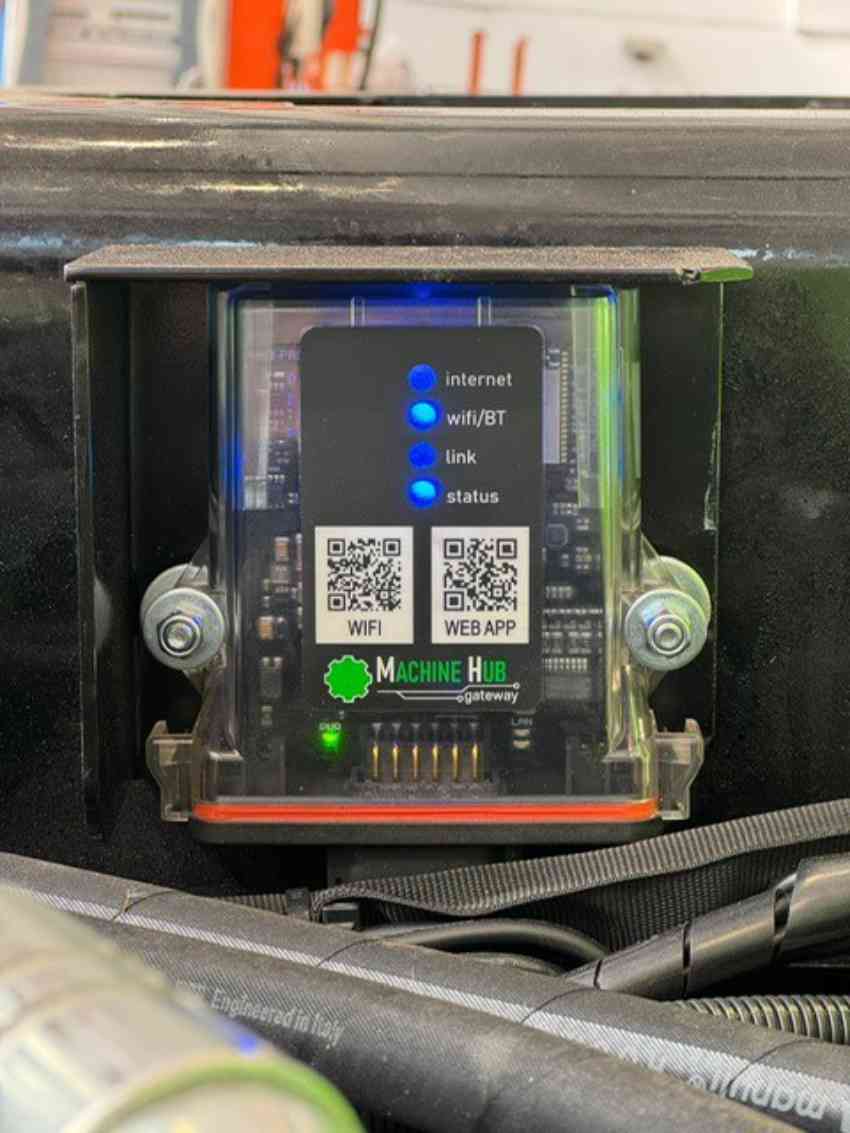
The second is the edge computing approach of MH Gateway: microcontroller-based, rugged, and capable of making machinery data visible even offline, accessible from any smartphone browser with no installation needed.
The third is flexible connectivity — Ethernet, CAN Bus 2.0b, Wi-Fi, Bluetooth, wide voltage range, and OTA firmware updates, with 4G and GNSS positioning coming soon.
How does your product address reliability, durability, and lifecycle performance compared to industry standards?
In mobile machinery, reliability isn’t a feature — it’s the baseline expectation. A system that fails in the field doesn’t just cause downtime; it damages the manufacturer’s reputation with their end customer.
On the hardware side, MH Gateway is designed for mobile machinery environments: it runs on the machine’s own battery (7–32 VDC), needs no display, no external cables, and no internet connection. Being microcontroller-based keeps it deliberately simpler and more robust than Linux-based alternatives.
On the software side, Machine Hub Desktop reduces human error through scripted, logged calibration sequences and a structured permission system that limits operator access to only what’s relevant to their role.
From a lifecycle perspective, our customers are never exposed to a tool becoming obsolete because a vendor discontinues a product line. Machine Hub adapts to whatever control unit the customer is using.
What role do efficiency metrics (e.g., energy consumption, throughput, precision) play in differentiating your solution?
The efficiency metrics that matter most to our customers are not energy consumption or throughput in the traditional sense — they are time and cost savings across the machine lifecycle.
Commissioning cycles get shorter because production operators can run calibration sequences and diagnostics independently, without waiting for a software engineer on site. After-sales costs drop significantly when a support case can be resolved in a 15-minute remote session instead of sending a technician to the field. And because calibration sequences in Machine Hub Desktop are scripted and logged, results are consistent across machines and operators — reducing rework, warranty claims, and the variability that comes with manual processes.
For a machine manufacturer, these are the numbers that actually move the needle: faster time to delivery, lower post-sales cost, fewer errors on the line.
How does your solution integrate with existing systems, platforms, or Industry 4.0 environments (e.g., IoT, automation, data analytics)?
Integration flexibility is one of the core design principles behind both Machine Hub Desktop and MH Gateway — because our customers rarely start from a blank slate.
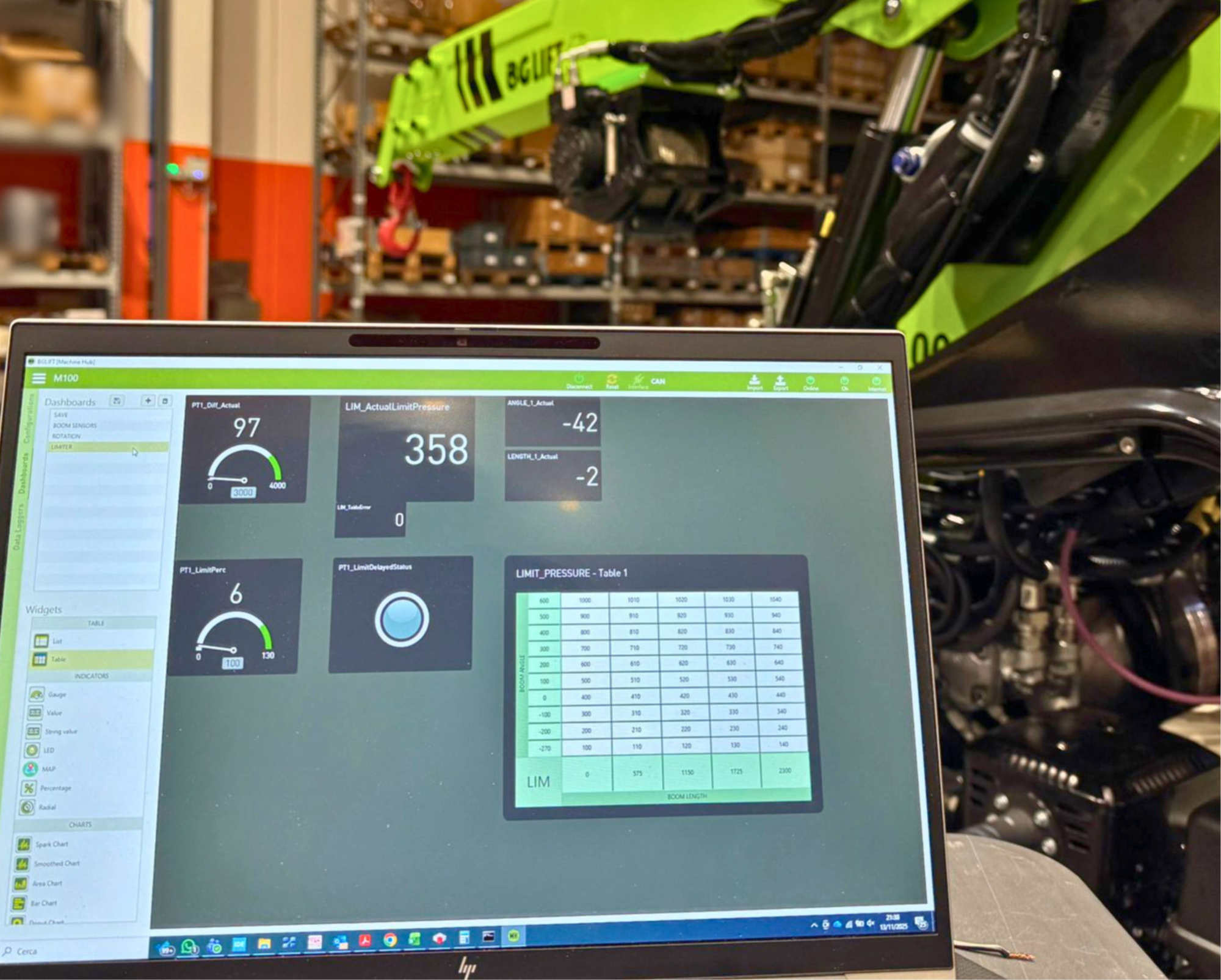
Machine Hub Desktop connects to any programmable control unit the customer is already using, importing the control unit’s variable structure automatically to populate watchlists and dashboards.
MH Gateway extends this into the field. The device connects to the machinery’s control unit via Ethernet or CAN Bus 2.0b, exposes data through Wi-Fi and Bluetooth, and makes it accessible from any browser — smartphone, tablet. Data is logged locally even without connectivity.
For Industry 4.0 environments, MH Gateway acts as an edge micro-portal: it brings machinery data to the surface without the complexity of a full Linux-based IoT gateway. Remote access via Machine Hub Desktop then allows real-time parameter monitoring and diagnostics from anywhere.
What customization or scalability options do you offer to meet diverse customer requirements across industries?
Customization is not an add-on for us — it’s the starting point. Every project begins with a requirements definition phase that involves the customer’s team directly, because no two machines are the same.
We build automation and control code on structured templates enhanced by our own application libraries — giving customers a maintainable codebase that reflects their specific machine logic. Machine Hub Desktop dashboards are fully customizable with widgets linked to the relevant variables, with permission rules scalable per role and per dashboard. MH Gateway is compatible with any control unit and adapts to the operator’s real working conditions rather than the other way around.
How do safety, compliance, and certification standards influence your product design and market positioning?
Safety and compliance are not constraints we design around — they are part of the value we deliver to customers who often lack the internal expertise to navigate them.
Functional safety for mobile machinery is a complex domain, and it’s becoming more demanding as the EU Machinery Regulation 2027 approaches. Many of our customers are OEMs who need their machines to meet regulatory requirements but don’t have a dedicated safety engineering function in-house. This is where A-PRO2’s expertise becomes a concrete differentiator: we bring functional safety knowledge directly into the software development process, so compliance is built in from the start rather than retrofitted at the end.
In what ways do your after-sales services (technical support, maintenance, training) enhance the overall value proposition of your solution?
After-sales service is where most of our competitors fall short — and where we have built a concrete, measurable advantage.
When a customer calls, they speak directly with our developers — no tickets, no waiting, no call center. Issues get resolved fast because the people answering the phone are the same people who built the software.
Onboarding is equally straightforward: a half-day hands-on training session is enough for technicians to become fully operational with Machine Hub Desktop. From that point on, they work independently — and we stay close with ongoing support and quarterly check-ins to make sure everything keeps running as it should.
How do total cost of ownership (TCO) and return on investment (ROI) compare with alternative solutions on the market?
The most honest way to frame TCO for our customers is to start with the cost of the alternative — which is usually not a competing product, but an unresolved problem.
A single on-site intervention can easily cost more than an entire year of Machine Hub Desktop subscription. One avoided field trip pays for the tool. And unlike bundled software from hardware vendors — which requires internal development resources to be useful — Machine Hub Desktop needs no programming skills, gets technicians operational in half a day, and comes with a 3-month risk-free trial.
What feedback from customers or industry use cases best demonstrates the unique strengths of your product/solution?
The most telling feedback we receive is not about features — it’s about what changes operationally once Machine Hub Desktop is in place.
Customers consistently report faster commissioning, more precise machine control, and technical staff that can handle production and after-sales service independently — without calling in external support for every issue.
A concrete example is our work with BG LIFT on the M4000, a machine combining crane, pick-and-carry, and aerial platform functions in a single unit. The core challenge of the custom automation and control software was implementing variable-placement anti-tipping limiters. Machine Hub Desktop made it possible to commission a machine of that complexity within the required timeline — allowing the M4000 to reach the motorway construction site on schedule.